

You can edit a survey schedule to update the start date and duration.
Who can do this? Site Admins, Managers, Community Admins, and Challenge Managers.
Edit a survey schedule
- Select Research Management
 > Surveys
  .
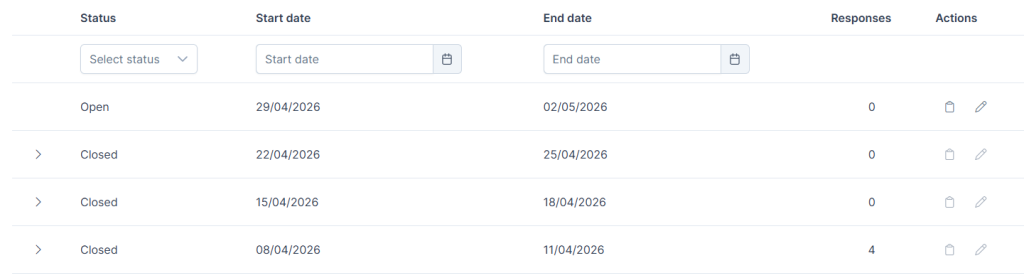
. - Find your survey and click the survey name link to see all the instances of that survey.
- Open and Pending survey instances will show an edit schedule icon

- Click the Edit schedule icon
- Open surveys will show the option to edit the end date for this instance of the survey. Choose an alternative end date and click Save.
- Pending surveys will show the option to edit the start date and select the duration for this instance of the survey.
- Click Save.
See also