

Enable SharePoint as a storage solution
- Go to your platform home page.
- Select Settings > Admin Panel > Integrations > Storage Configuration.
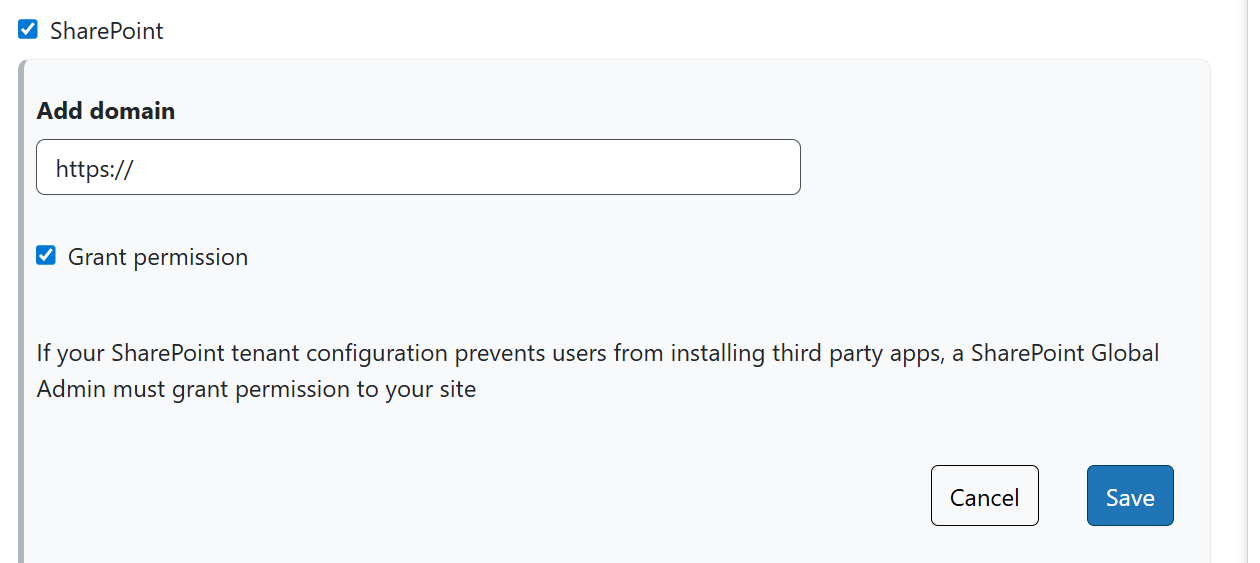
- Select the checkbox next to SharePoint
- Select Add SharePoint Resource
- Add the SharePoint domain URL you wish to enable
- Select Grant permission.
- Click Save.
Notes on restrictions
- 200 character limit on URL length
- Site-level URLs only. Microsoft API does not allow direct links to sub-folders or files. The allowed structure is usually https://company.sharepoint.com/sites/site_name
- Links to individual pages are not supported (ending in.aspx)
- Links containing query parameters are not supported
Using the integration
Once enabled the SharePoint option will be visible in the Attachments section of a submission form. The domains you added will be available as sources to select files from.